Data names appear as dashes in Bubvisch
Problem Description
When you create data types and fields in Bubble.io using non-Latin characters (such as Chinese, Cyrillic, Arabic, etc.), you may encounter display issues in some integrations or export tools. For example, node titles may appear as a line or dash instead of the intended name, making it difficult to identify your data.
Incorrect Usage Example:
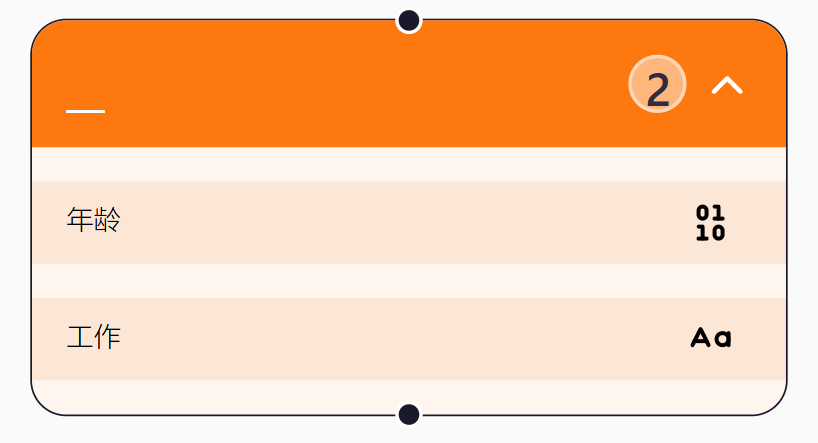
In this example, the data type and field names are written in non-Latin characters, resulting in the node title being displayed as a line.
Solution
To avoid this issue, always use Latin letters (A-Z, a-z) when naming your data types and fields in Bubble.io. This ensures compatibility and proper display in all tools and exports.
Correct Usage Example:
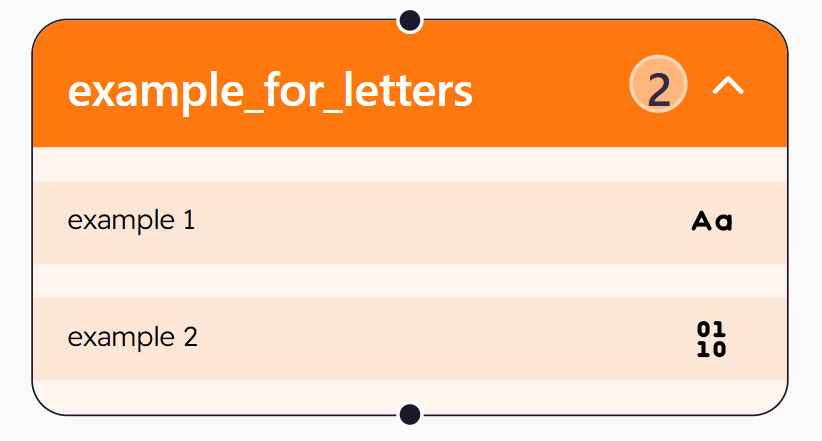
Here, the data type and field names use only Latin letters, and the node title displays as expected.
Summary
- Do not use non-Latin characters for data types and fields in Bubble.io.
- Always use Latin letters to ensure proper display and compatibility.
If you follow this guideline, your data will appear correctly in all integrations and exported formats.